
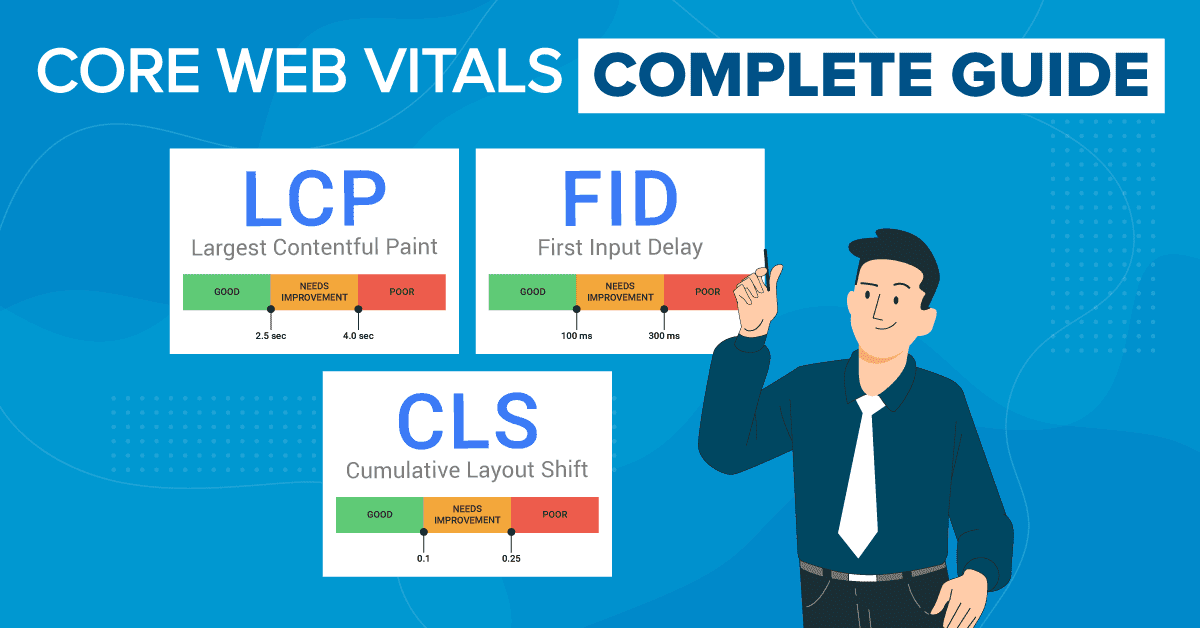
The digital landscape is in a constant state of flux, and for website owners, developers, and SEO specialists, staying ahead of the curve is paramount. User experience (UX) has solidified its position as a critical factor not only for visitor satisfaction and engagement but also as a significant element in search engine rankings. Central to measuring and optimizing this user experience are Google’s Core Web Vitals. Introduced a few years ago, these metrics have rapidly evolved, becoming an indispensable part of any effective web strategy. As we navigate 2025, understanding the nuances of Core Web Vitals, their latest updates, and the most effective optimization techniques is more crucial than ever. This ultimate guide aims to provide an in-depth exploration of Core Web Vitals in 2025, offering actionable insights to help you enhance your website’s performance, improve user satisfaction, and boost your search engine visibility.
The Ever-Evolving Landscape of Core Web Vitals
When Google first unveiled the Web Vitals initiative in 2020, it was with the clear understanding that these metrics would not remain static. The commitment was to refine and update them annually to better capture the real-world experience of users. True to this promise, the past four years have seen a plethora of bug fixes, new feature introductions, enhancements to metric definitions, and various other optimizations. This continuous evolution underscores Google’s dedication to providing site owners with more accurate and comprehensive tools to gauge and improve page experience. One of the most significant recent changes was the replacement of First Input Delay (FID) with Interaction to Next Paint (INP) as the primary responsiveness metric, reflecting a move towards a more holistic assessment of user interactions throughout their entire session on a page. Keeping abreast of these changes is vital, as what constituted an optimized site yesterday might need further refinement today to meet the 2025 standards.
Deep Dive into the 2025 Core Web Vitals: LCP, CLS, and INP
The Core Web Vitals consist of three primary metrics: Largest Contentful Paint (LCP), Cumulative Layout Shift (CLS), and Interaction to Next Paint (INP). Each of these targets a distinct facet of the user experience – loading speed, visual stability, and interactivity, respectively. Let’s examine the latest developments and considerations for each in 2025.
Largest Contentful Paint (LCP): Measuring Perceived Loading Speed
Largest Contentful Paint measures how quickly the main content of a page loads. Specifically, it marks the point in the page load timeline when the largest image or text block visible within the viewport is rendered. A good LCP score, typically 2.5 seconds or less, reassures the user that the page is genuinely loading and useful. Recent updates have further refined how LCP is measured and can be optimized:
-
- Image Loading Prioritizations: Modern browsers like Chrome are now smarter about prioritizing the loading of critical images. When a choice arises between an image loading task and a rendering task, the browser may prioritize the image load, which can improve LCP by avoiding the rendering of an incomplete intermediate frame.
-
- Handling of Videos and Animated Images: Previously, video elements were often overlooked as LCP candidates unless they had a poster image. Updates now allow video elements to be considered for LCP, with the timestamp being the moment the first video frame is displayed. Similarly, for animated images like GIFs and APNGs, the LCP can now be triggered by the rendering of the first frame, rather than waiting for the entire animation to load, which is particularly beneficial for large animated files.
-
- Optimized Image Load Scheduling: Experiments, such as those in Chrome 116, have explored increasing the priority of the first few large images (e.g., those larger than 10,000 pixels squared) to render the LCP element sooner.
-
- Ignoring Low-Entropy Images: LCP calculations are now more discerning about what constitutes ‘content.’ Images with very low content relative to their display size (e.g., large, simple background gradients or placeholders with less than 0.05 bits of image data per displayed pixel) are often ignored. This change can be a double-edged sword: it might increase LCP if a low-content background was previously the LCP element and painted early, or it could improve LCP if such an image was an overlay and more contentful elements are now prioritized.
Cumulative Layout Shift (CLS): Quantifying Visual Stability
Cumulative Layout Shift measures the visual stability of a page by quantifying how much its visible elements unexpectedly shift during the loading phase. A low CLS score (ideally 0.1 or less) indicates a stable and predictable layout, preventing users from experiencing frustrating misclicks or disorientation. Recent improvements to CLS include:
-
- Image Loading Prioritization for CLS: Similar to LCP, prioritizing image load tasks over rendering tasks can also prevent layout shifts that occur when an intermediate frame is rendered without the image, only for the image to pop in later and push content around.
-
- Ignoring Layout Shift During User Interactions: For desktop sites, layout shifts that occur during mouse drag and resize actions are now better handled. The layout shift score is buffered during these interactions (after a mousedown event and before a mouseup event), and an exclusion window is triggered, effectively ignoring these user-initiated shifts and leading to lower, more representative CLS scores.
Interaction to Next Paint (INP): Assessing Responsiveness
Interaction to Next Paint is the newest Core Web Vital, having officially replaced First Input Delay (FID) in March 2024. INP provides a more comprehensive measure of a page’s overall responsiveness by considering all user interactions (clicks, taps, and key presses) throughout the lifespan of their visit. It measures the time from when a user initiates an interaction until the browser is able to paint the next frame, reflecting the visual feedback to that interaction. A good INP is generally considered to be 200 milliseconds or less. Key developments concerning INP include:
-
- Official Core Web Vital Status: The transition from FID to INP signifies a shift towards a more robust assessment of interactivity. FID only measured the delay of the *first* interaction, whereas INP looks at the latency of *all* interactions, focusing on the worst ones to better represent the user’s overall experience.
-
- Enhanced Event Timing for Keypresses: With `EventTimingKeypressAndCompositionInteractionId` enabled by default (experimented in Chrome 123), keypress entries are assigned an `interactionID` in event timing. During text composition (e.g., using an IME or virtual keyboard), this `interactionID` is also exposed to keydown and keyup events, not just input events. This change means INP now also measures keypresses more accurately, though the overall site INP might not be significantly impacted as keyboard interactions are usually fast.
-
- Improved Handling of Context Menu Interactions: Previously, `pointerdown` or `keydown` events that triggered a context menu (e.g., via a right-click) might not have been reported correctly by performance event timing. This has been resolved by ensuring these events are flushed from the buffer upon context menu activation, treating it as an interaction. While this slightly increases the total number of measured interactions, the impact on overall INP scores is typically minimal as context menu interactions are usually quick.
To stay updated with all the granular changes and bug fixes related to Core Web Vitals, it’s highly recommended to regularly consult the official Core Web Vitals changelog directory.
Actionable Strategies: 10+ Optimizations for Your 2025 Core Web Vitals Strategy
Understanding the metrics is only half the battle; the other half is implementing effective optimization strategies. While LCP, in particular, is known for being challenging to optimize due to its many influencing factors (with only about 62.1% of origins passing it as of mid-2024 according to some reports), significant improvements are achievable. Beyond the well-trodden paths of LCP optimization, here are several advanced and recent techniques to incorporate into your 2025 strategy for all three Core Web Vitals.
Optimizing Largest Contentful Paint (LCP)
To enhance your LCP score, consider these sophisticated approaches:
1. Leverage fetchpriority="high" for LCP Elements: The Fetch Priority API, through the fetchpriority HTML attribute, allows you to give the browser a hint about the relative importance of a resource. For your LCP image or text block, explicitly setting <img src="lcp-image.jpg" fetchpriority="high" alt="Important LCP Image"> can signal the browser to download it sooner. However, for this to be effective, the LCP element must be discoverable in the initial HTML source and not injected via JavaScript after the initial load. It’s also crucial not to overuse fetchpriority="high", as assigning it to too many resources can negate its benefits.
2. Shorten Critical Request Chains: Critical request chains are sequences of dependent network requests that are essential for rendering the page. The longer the chain, the longer it takes for the LCP element to appear. Identify and minimize these chains. This involves ensuring that critical CSS and JavaScript needed for the initial render are delivered quickly and are not blocked by other non-essential resources. Tools like PageSpeed Insights can help visualize these chains.
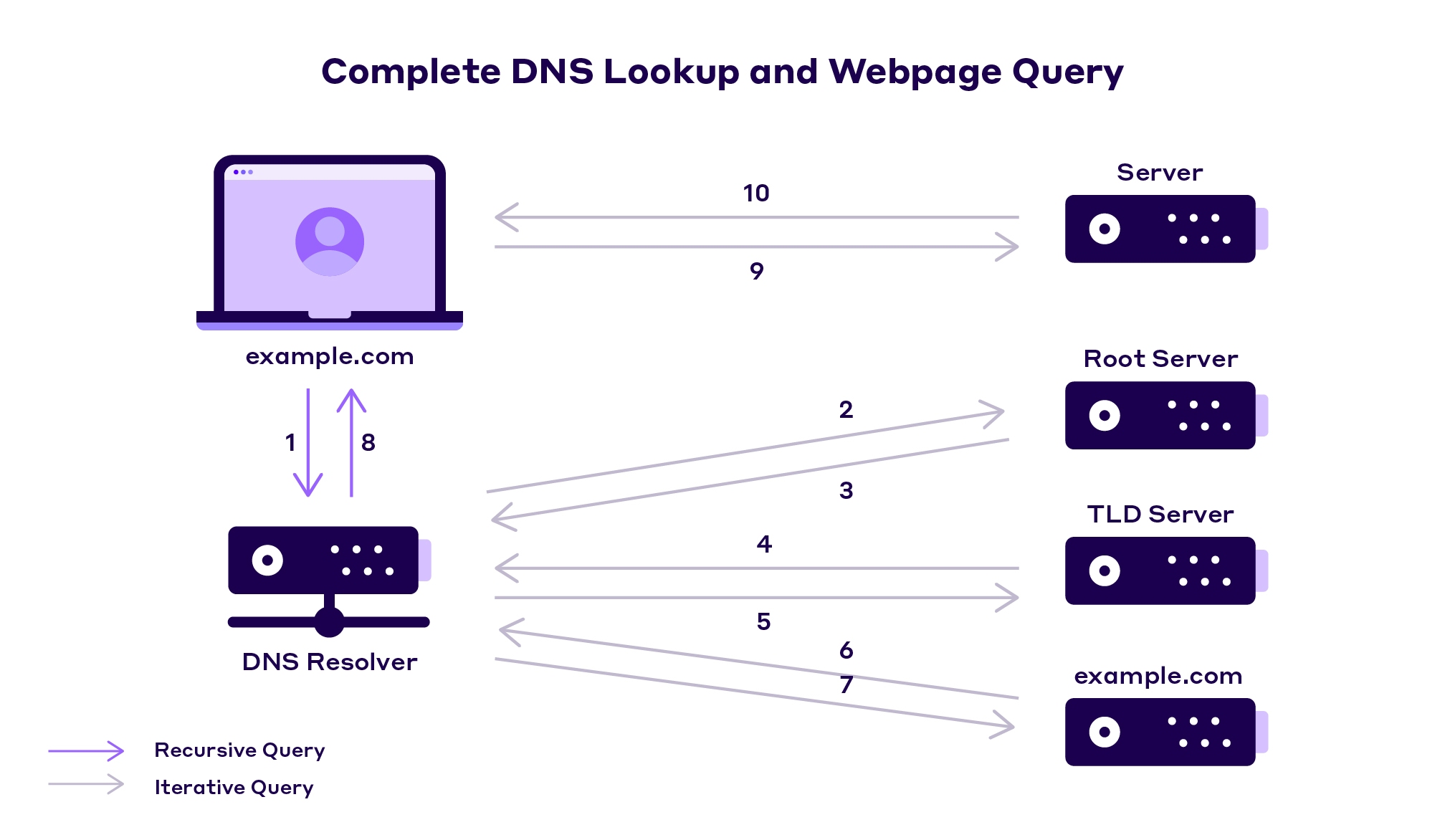
3. Avoid Redundant Server Connections and Optimize Connection Time: Establishing new connections, especially secure ones, takes time (DNS lookup, TCP handshake, TLS negotiation). Reduce this overhead by:
-
- Serving critical resources from the same domain whenever possible.
-
- Using HTTP/2 or HTTP/3, which allow multiple requests to be multiplexed over a single connection.
-
- Hosting third-party resources locally if feasible and permitted by licensing, or using preconnect/dns-prefetch resource hints for critical third-party origins. For example:
<link rel="preconnect" href="https://critical-third-party.com">.
- Hosting third-party resources locally if feasible and permitted by licensing, or using preconnect/dns-prefetch resource hints for critical third-party origins. For example:
-
- Leveraging DNS caching and ensuring fast DNS lookups.
4. Don’t Lazy Load LCP Elements: Lazy loading is a fantastic technique for deferring the loading of off-screen images and iframes, but it should *not* be applied to your LCP element. If the main hero image or primary content block is lazy-loaded, users might see an empty space or placeholder until they scroll, or the JavaScript for lazy-loading kicks in, significantly delaying the LCP and potentially increasing bounce rates. Ensure your LCP candidate is loaded eagerly.
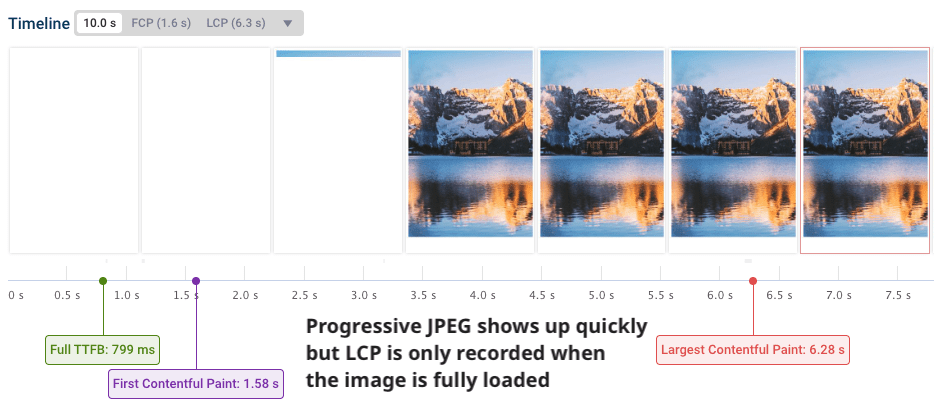
5. Exercise Caution with Progressive JPEGs for LCP: Progressive JPEGs load in successive scans, showing a blurry version quickly that gradually sharpens. While this can improve *perceived* performance, it can be problematic for LCP. LCP measures the time until the largest visible content element is *fully* rendered to a certain quality. The incremental loading of progressive JPEGs can sometimes delay the point at which the image is considered sufficiently rendered for LCP, potentially worsening the score compared to a standard (baseline) JPEG that loads top-to-bottom but might render its final quality faster for the LCP calculation. Test carefully; for critical LCP images, a well-optimized baseline JPEG or a modern format like WebP or AVIF might be more effective.
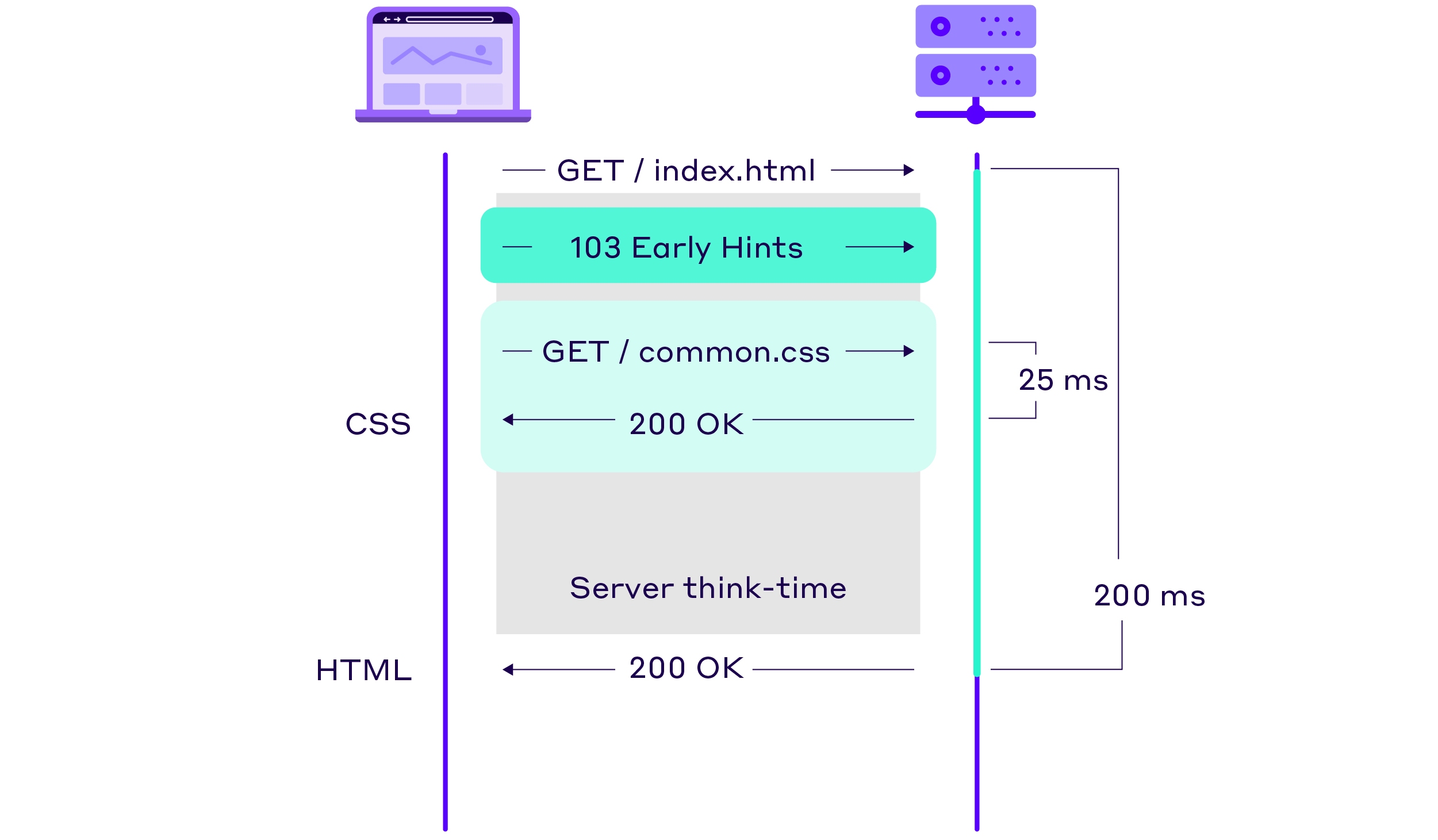
6. Utilize 103 Early Hints: The HTTP 103 Early Hints status code is a mechanism that allows a server to send preliminary HTTP headers to the browser while the main server response is still being prepared. This “server think-time” can be used by the browser to start fetching critical sub-resources (like CSS or key JavaScript files) or establish connections to origins that will likely be needed, even before the server has finished compiling the full HTML response. This can significantly speed up rendering and improve LCP. For example, a server can send `Link` headers with `rel=preload` as 103 hints: `Link: </css/styles.css>; rel=preload; as=style`.
7. Explore the Speculation Rules API: While traditional resource hints like prefetch and preload help, the Speculation Rules API offers a more powerful and flexible way for developers to tell the browser which pages a user is likely to navigate to next. The browser can then choose to prefetch or even prerender these pages in the background. Prerendering an entire page can make subsequent navigation feel instantaneous, dramatically improving LCP for those future page loads. This is defined using a JSON structure within a <script type="speculationrules"> tag. For example, you could specify that all links on the current page should be prerendered with moderate eagerness (e.g., on hover):
<script type="speculationrules">
{
  "prerender": [
    {
      "source": "document",
      "where": {
        "href_matches": "/*"
      },
      "eagerness": "moderate"
    }
  ]
}
</script>
Optimizing Cumulative Layout Shift (CLS)
Minimizing unexpected layout shifts is key to a pleasant user experience. Here’s how to tackle CLS in 2025:
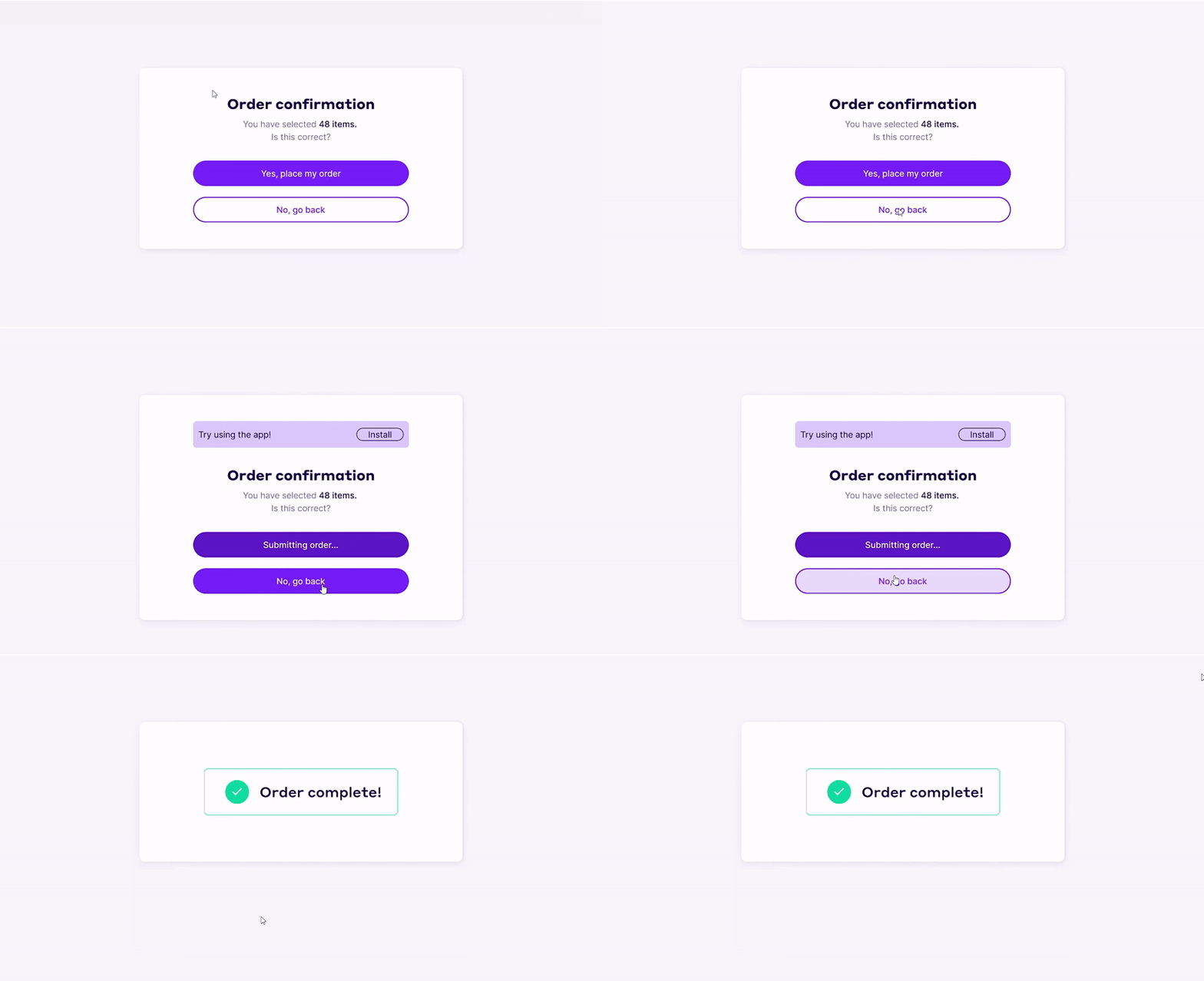
1. Fine-Tune Fallback Fonts with size-adjust: Web fonts can cause layout shifts if the fallback font used during loading has significantly different metrics (like x-height or character width) than the final web font. The CSS @font-face descriptor size-adjust allows you to scale the fallback font to better match the web font, reducing the visual discrepancy when the switch occurs. You can also use ascent-override, descent-override, and line-gap-override for even finer control over the fallback font’s vertical metrics.
2. Don’t Lazy Load Above-the-Fold CSS (Critically): While splitting CSS into smaller, section-specific files is a common practice, if CSS crucial for rendering above-the-fold content is lazy-loaded or applied late, it can cause unstyled or semi-styled content to flash, leading to layout shifts. Ensure that all CSS necessary for the initial stable rendering of the visible viewport is delivered and applied as early as possible, ideally inlined in the <head> or delivered via a blocking stylesheet.
3. Reserve Space for Lazy-Loaded Images and Ads: This is a classic CLS culprit. When images, ads, or embeds load, if their dimensions aren’t specified, they can push content down, causing shifts. Always provide width and height attributes for your images (<img width="600" height="400" ...>). For responsive images, use CSS aspect ratio boxes (e.g., aspect-ratio: 16/9;) or ensure the intrinsic size is set. For ads or third-party embeds, reserve space using CSS, ensuring the container has fixed dimensions before the content loads.
4. Be Mindful of Animations and Transitions: Animations that affect layout properties like width, height, margin, or top/left/right/bottom can trigger layout shifts. Prefer using CSS transform and opacity for animations, as these are typically handled by the browser’s compositor thread and don’t cause reflows or layout shifts.
Optimizing Interaction to Next Paint (INP)
With INP now the official responsiveness metric, ensuring quick feedback to user interactions is paramount. Nearly 600,000 websites reportedly shifted from passing to failing Core Web Vitals when INP replaced FID in March 2024, highlighting the need for focused optimization. Here are key strategies:
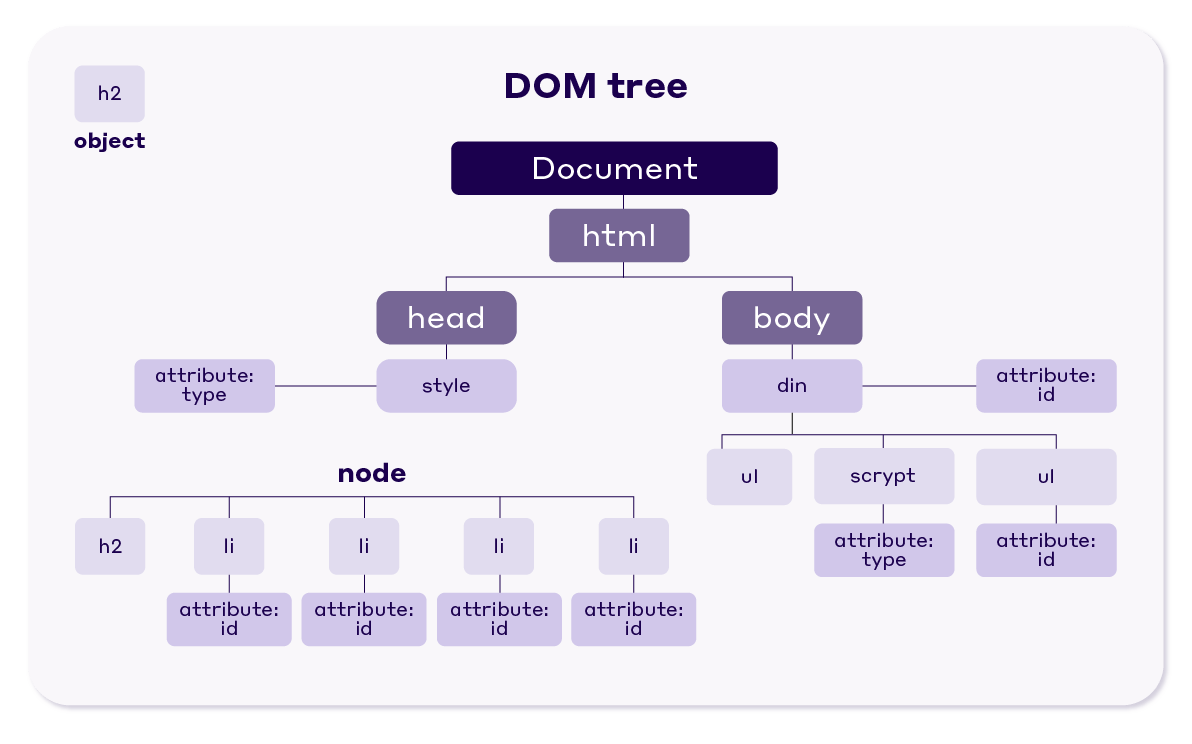
1. Reduce DOM Size: A large Document Object Model (DOM) tree means the browser has more work to do to process, render, and update the page structure, especially in response to interactions. A complex DOM can significantly slow down event handling and subsequent rendering. Aim for a lean DOM. Tools like the Lighthouse audit can flag excessively large DOMs. Consider breaking down complex components or using techniques like virtual scrolling for long lists.
2. Optimize Event Callbacks and Minimize Long Tasks: Long-running JavaScript tasks are a primary cause of poor INP. When the browser’s main thread is busy executing JavaScript, it can’t respond to user input. Identify and optimize these long tasks:
-
- Break down long tasks into smaller chunks using techniques like
requestIdleCallbackor by yielding to the main thread periodically withsetTimeout(() => { /* continue task */ }, 0);.
- Break down long tasks into smaller chunks using techniques like
-
- Debounce or throttle event handlers for frequent events like
scroll,resize, ormousemoveto prevent excessive execution.
- Debounce or throttle event handlers for frequent events like
-
- Move non-UI-blocking JavaScript off the main thread using Web Workers.
-
- Analyze your JavaScript execution with browser developer tools (Performance panel) to pinpoint bottlenecks. Google’s Long Animation Frames (LoAF) API can also help identify slow animation frames contributing to poor INP.
3. Prioritize Input Handling: Ensure that event listeners are added efficiently and that the work done within them is minimal. If an interaction triggers a complex update, provide immediate visual feedback (e.g., a loading spinner or disabling a button) before starting the heavier computation. This makes the UI feel more responsive even if the full operation takes a bit longer.
4. Reduce Third-Party Script Impact: Third-party scripts for analytics, ads, or social media widgets can often be heavy and execute long tasks, blocking the main thread. Audit your third-party scripts regularly. Load them asynchronously or defer them where possible. Consider if all of them are truly necessary or if lighter alternatives exist.
5. Optimize Rendering Performance: After an interaction, the browser needs to repaint the screen. Complex rendering can delay this. Simplify your CSS, avoid excessive use of computationally expensive styles (like complex box-shadows or filters on large areas), and promote elements that change frequently to their own compositor layer using will-change (use sparingly and wisely).
Tools and Auditing for Core Web Vitals in 2025
Effectively optimizing Core Web Vitals requires robust tools for measurement and auditing. Google provides a suite of tools that offer insights into your site’s performance:
-
- PageSpeed Insights: Offers both lab data (from Lighthouse) and field data (from the Chrome User Experience Report – CrUX) for a given URL. It provides specific recommendations for improvement.
-
- Google Search Console: The Core Web Vitals report in Search Console shows how your site’s pages are performing based on field data, grouping URLs by status (Good, Needs Improvement, Poor) for each metric. This is invaluable for identifying site-wide trends and issues.
-
- Lighthouse: An open-source, automated tool for improving the quality of web pages. You can run it in Chrome DevTools, from the command line, or as a Node module. It provides audits for performance (including Core Web Vitals), accessibility, progressive web apps, SEO, and more.
-
- Chrome DevTools: The Performance panel allows for in-depth profiling of page load and runtime performance. The Rendering tab can help visualize layout shifts and paint flashing.
-
- Web Vitals Extension: A Chrome extension that provides real-time feedback on Core Web Vitals metrics as you browse.
Beyond Google’s tools, third-party services like DebugBear, WebPageTest, and GTmetrix offer advanced auditing, monitoring, and competitive analysis features. When conducting a Core Web Vitals audit, it’s crucial to look at both lab data (for reproducible debugging) and field data (to understand real user experiences). Field data is what Google uses for ranking purposes.
Conclusion: Embracing User-Centric Performance in 2025
Core Web Vitals are no longer just a technical checklist; they are a fundamental aspect of a user-centric approach to web development and SEO. As these metrics continue to evolve in 2025 and beyond, a proactive and continuous optimization strategy is essential. By understanding the intricacies of LCP, CLS, and INP, leveraging the latest optimization techniques, and utilizing the right tools for measurement and auditing, website owners can significantly enhance their page experience. This not only leads to happier, more engaged users but also contributes positively to search engine rankings, ultimately driving better business outcomes. The journey to excellent Core Web Vitals is ongoing, but the rewards – a faster, more stable, and more responsive web for everyone – are well worth the effort.
References
The information and strategies discussed in this guide are based on publicly available documentation and insights from Google and web performance experts, including resources such as:
-
- web.dev by Google (Core Web Vitals documentation)
-
- The Chromium Blog and Core Web Vitals Changelog
-
- Insights from Nitropack (https://nitropack.io/blog/post/core-web-vitals-strategy)
